Supertrend
A visual trend layer. The chart-timeframe Supertrend plus up to six higher-timeframe lines.
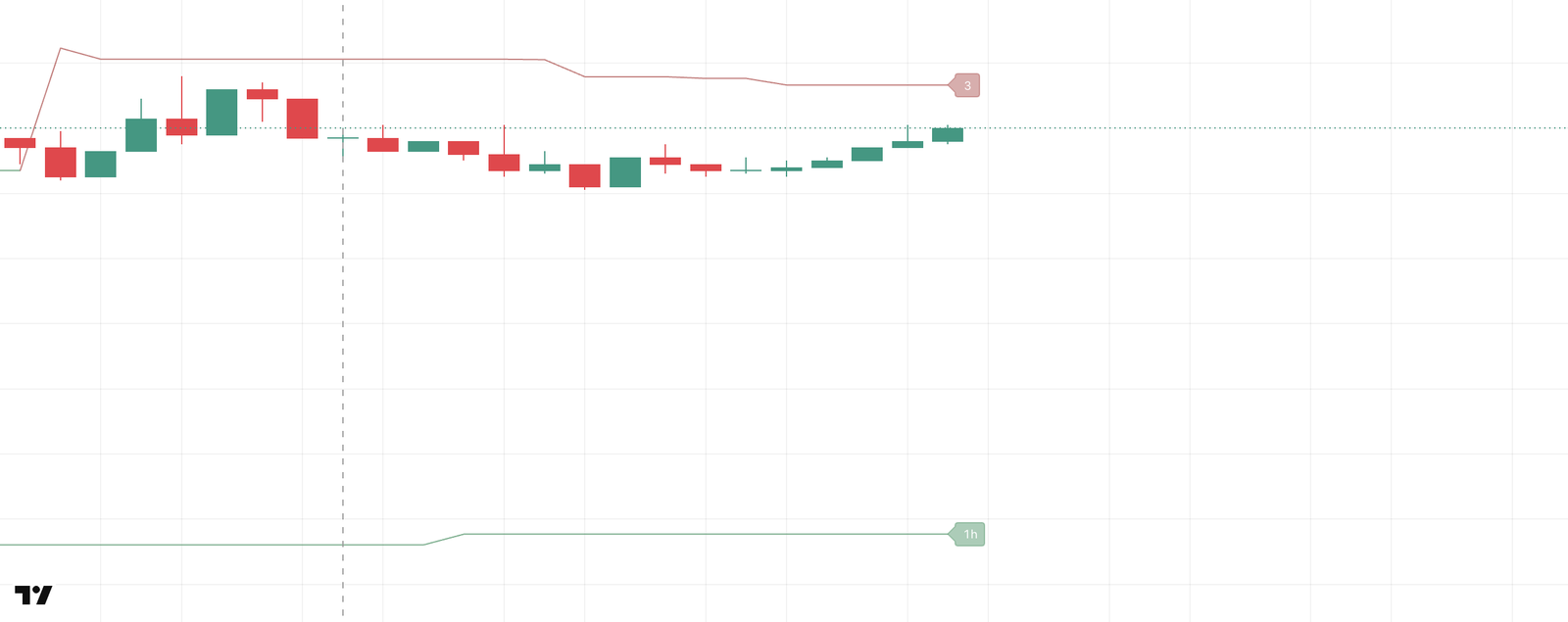
A classic ATR trailing line: under price in an uptrend (green), over price in a downtrend (red), flipping when price breaks through. In the indicator it's a visual layer only: no signal uses it.
On top of the chart-timeframe line you can show up to six lines from higher timeframes (MTF). In the screenshot the lower green line tagged 1h is one of them.
The strategy does use a higher-timeframe Supertrend, as a direction filter, a line-side gate and a line stop. Those are strategy inputs with their own parameters; see Strategy inputs.
How it's calculated
The standard TradingView Supertrend: a line set Multiplier × ATR away from the bar's midpoint. In an uptrend it only moves up, in a downtrend only down, and it flips to the other side when price breaks through it.
Settings
Group 📉 Supertrend.
| Input | Default | What it does |
|---|---|---|
| Show Supertrend (chart TF) | on | The chart-timeframe line. |
| Show Supertrend labels | off | A timeframe tag at the right edge of every line that's on. Minutes divisible by 60 show as hours: 60 becomes 1h. |
| ATR period | 10 | ATR period for all seven lines. |
| Multiplier | 3.0 | ATR multiplier for all seven lines. Higher: the line sits further from price and flips less often. |
| Show MTF Supertrend 1 … 6 | off | Shows the line of that slot. |
| MTF1 timeframe … MTF6 timeframe | 60, 240, 720, 1D, 1W, 1M | The higher timeframe of each slot: 1h, 4h, 12h, 1 day, 1 week, 1 month. |
Watch out for
- Higher-timeframe lines repaint inside their bar. An MTF line updates while the higher-timeframe bar is still forming, so its value on the current bar can change until that bar closes. That's how most MTF indicators behave; read it as "where the line is now", not as a closed level.
- One ATR period and one multiplier for all seven lines. The MTF slots have no parameters of their own.